Help · Review and decisions
Help
Work the approval queue
The approval workstation lists each proposed change as pending, approved, rejected or revised, with the document and the decision beside it.
Step 1 of 2: Open the approval workstation and confirm you are an attorney or supervised staff who will decide every output. On a first visit the desk offers an orientation on its sample matter: take it, or skip it. The queue lists the proposed changes with their state.
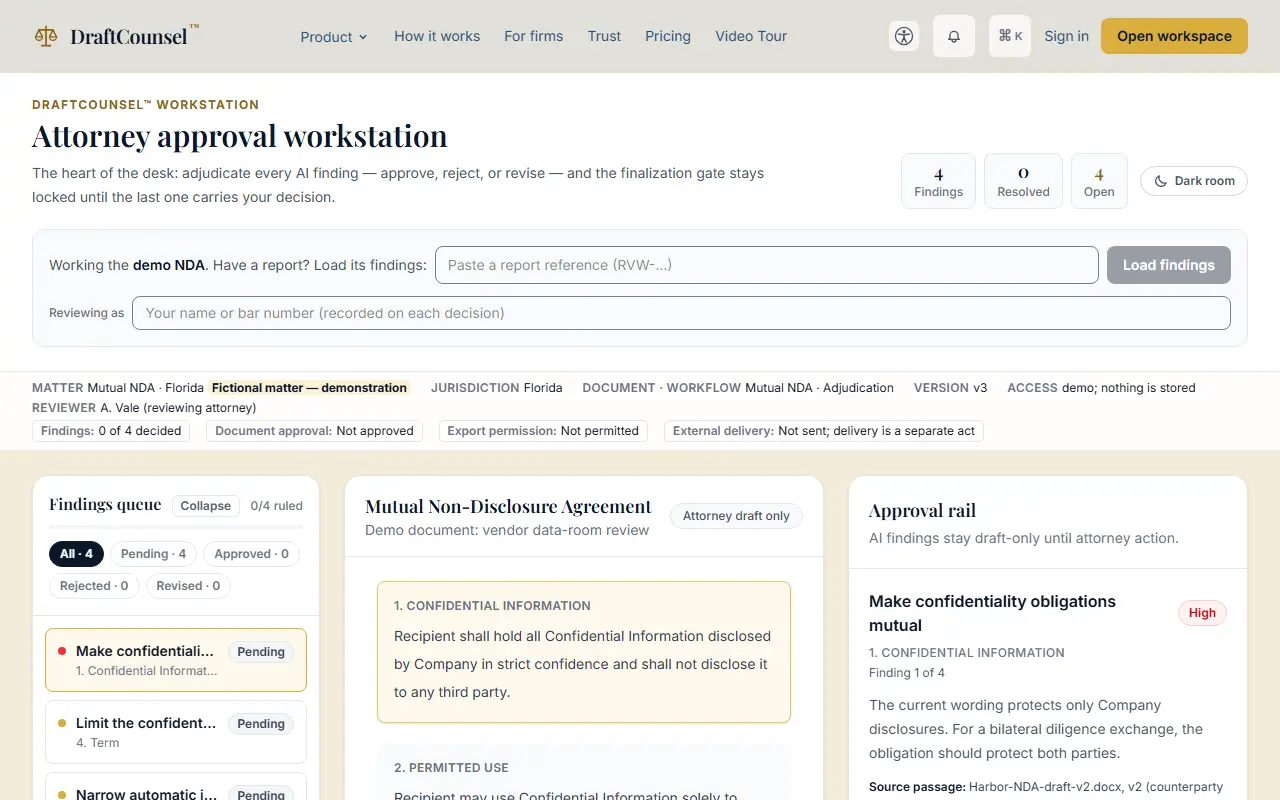
Step 2 of 2: Choose a proposed change. The approval rail beside the document decides it, with a reason and a note.
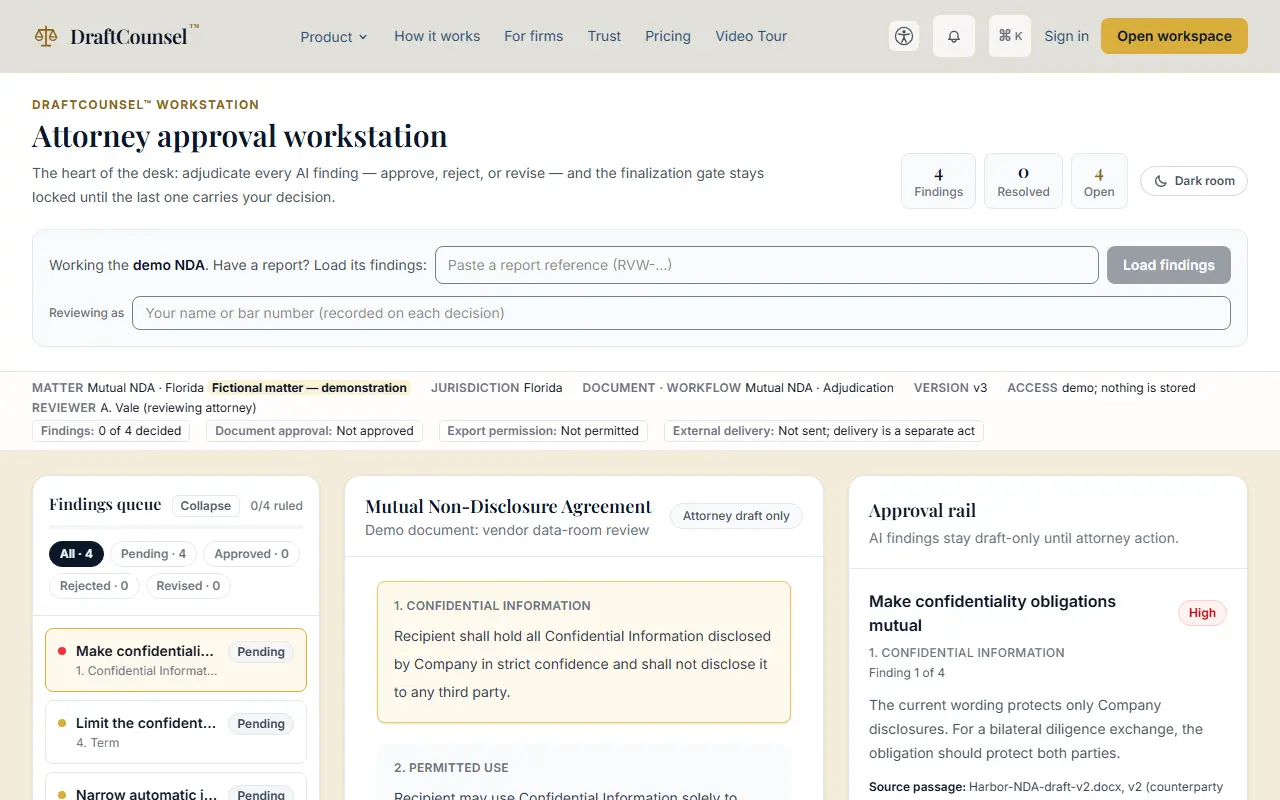
The screens are captured by the test that performs this guide; the illustrative workspace in them holds fictional matters only.