Help · Review and decisions
Help
Decide a finding
Each finding is approved, revised or rejected with a note; the decision is written to the record with your name and the time.
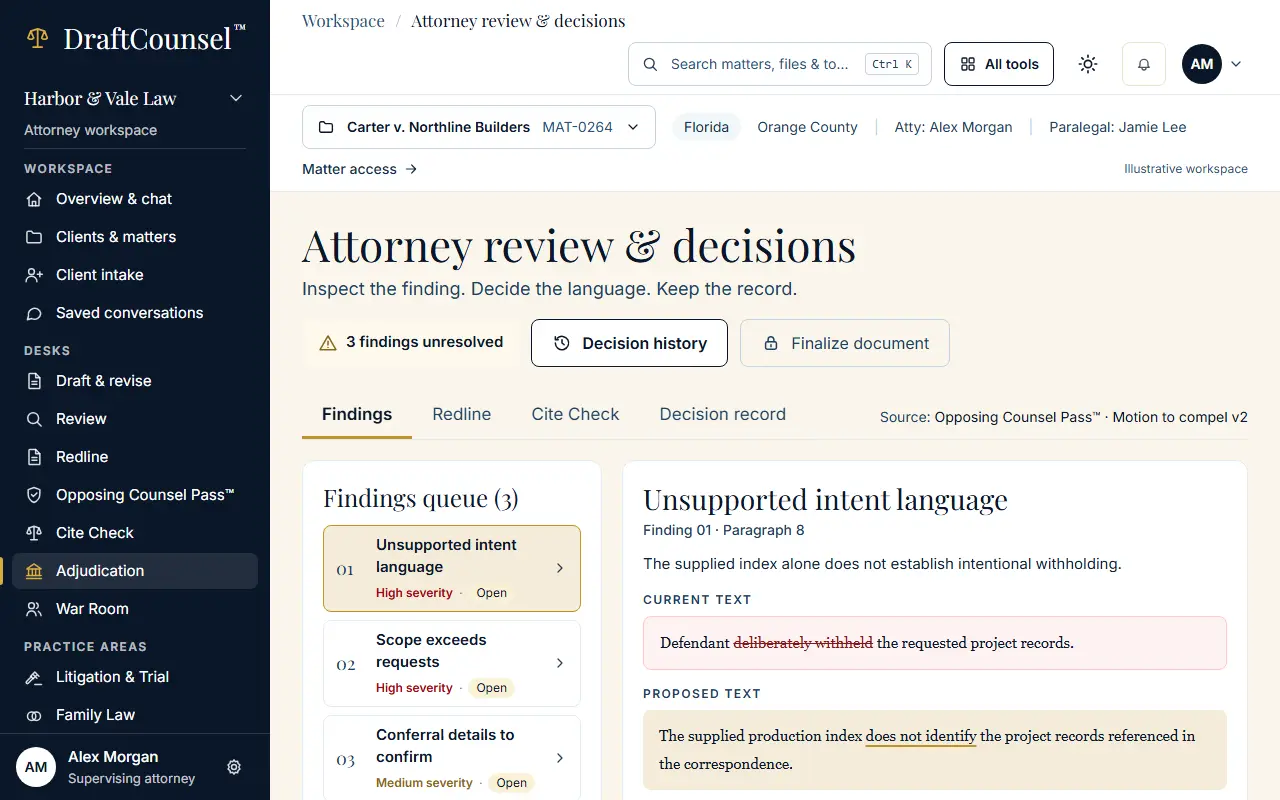
Step 1 of 2: Open Attorney review & decisions. The first open finding shows its passage, the proposed edit and the sources.
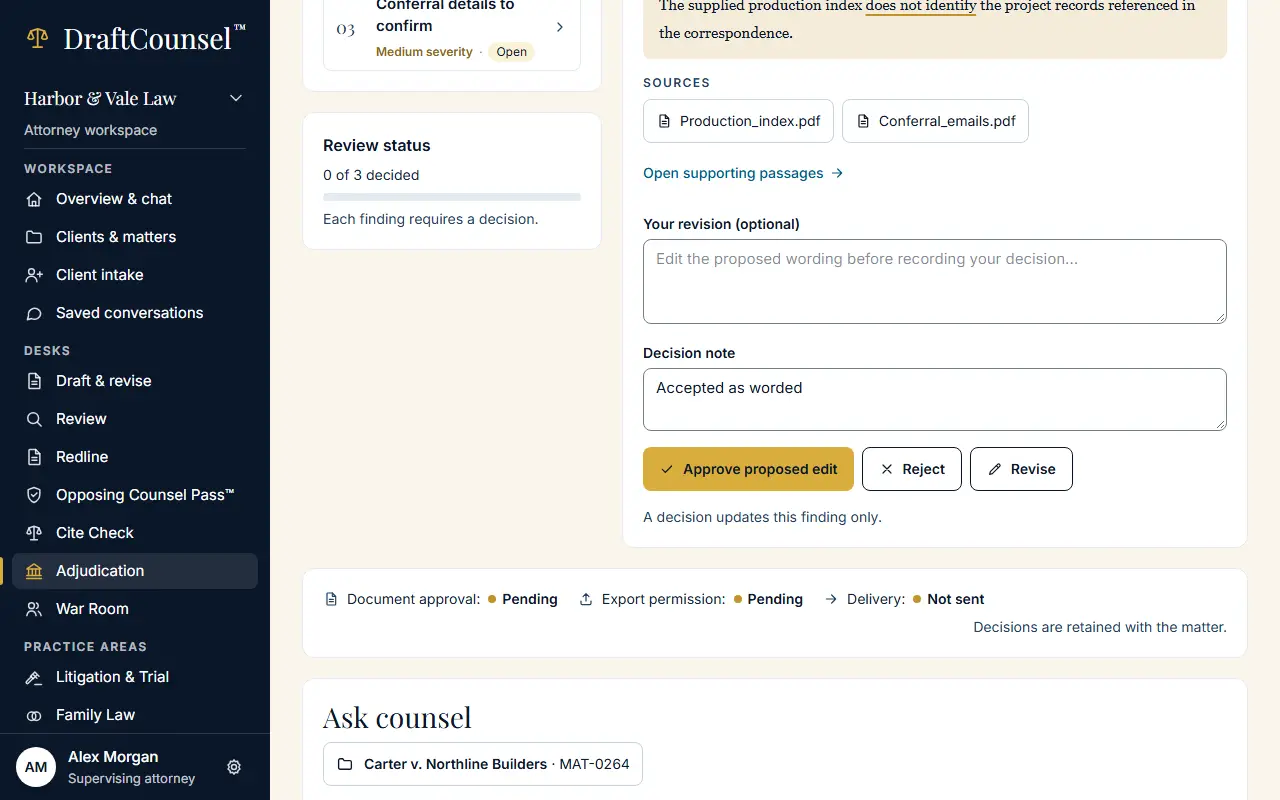
Step 2 of 2: Write a decision note, then choose Approve proposed edit. In your workspace the decision and the note are recorded; the illustrative workspace keeps nothing.
The screens are captured by the test that performs this guide; the illustrative workspace in them holds fictional matters only.