Help · Getting started
Help
Report a correction, a complaint or a refund request
One page takes every kind of case; you choose the kind, give the reference of the report or draft, and say what happened.
Step 1 of 2: Open the support page and choose the kind of case: a complaint, a refund request or a correction when an output got something wrong.
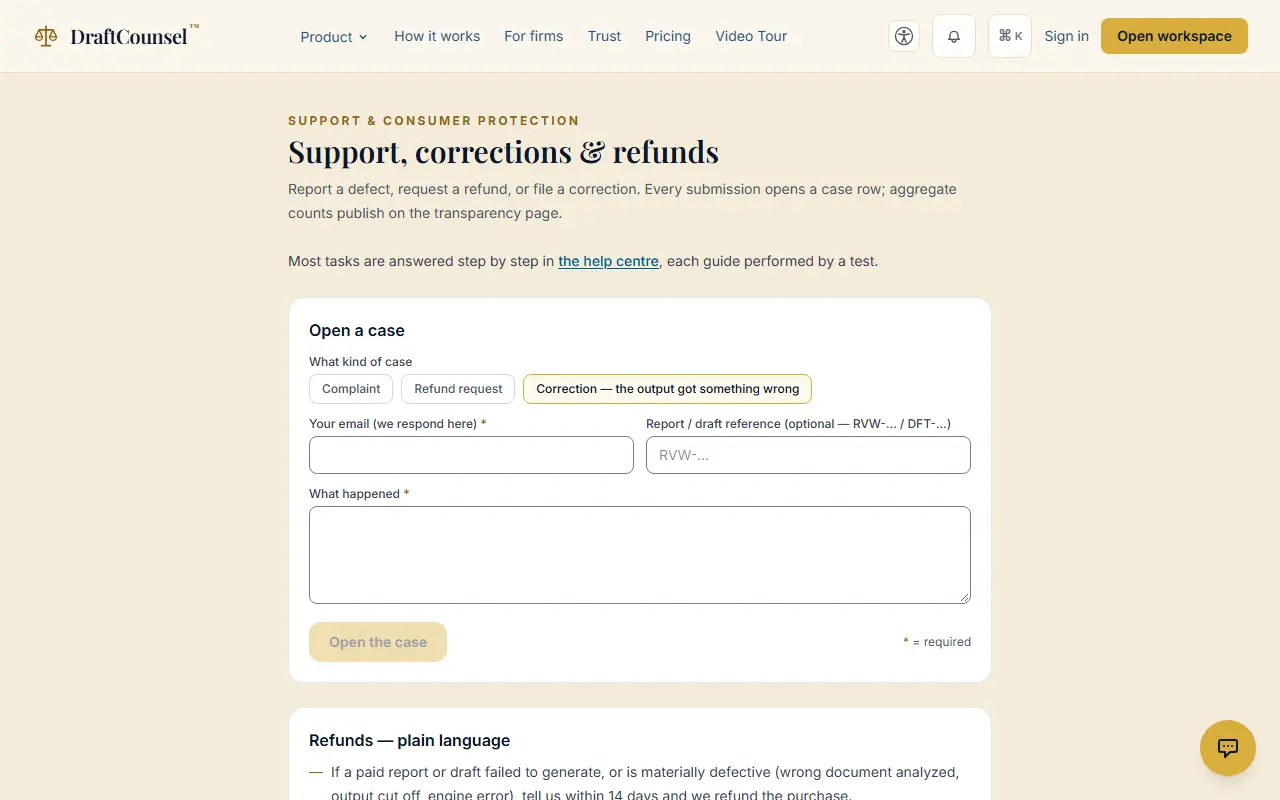
Step 2 of 2: Give the address for the reply and say what happened; add the report or draft reference if you have one. Open the case to send it.
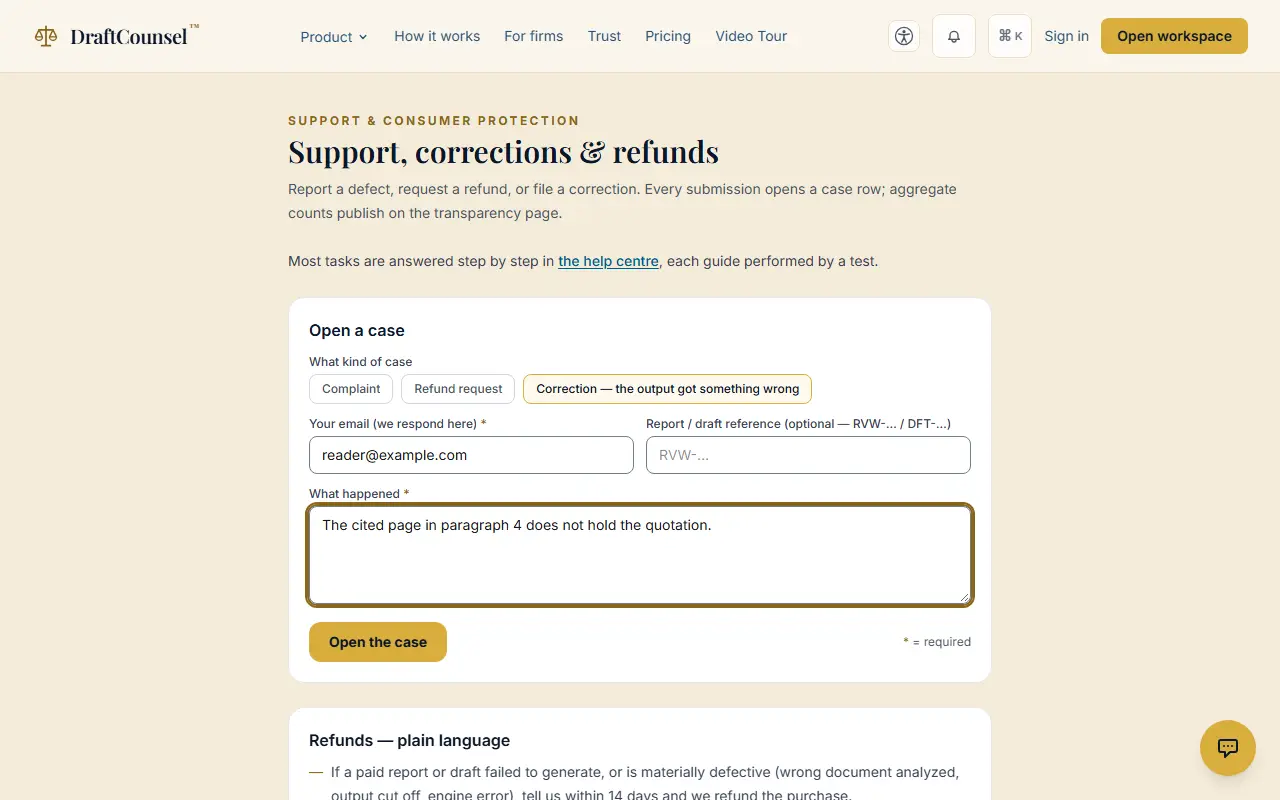
The screens are captured by the test that performs this guide; the illustrative workspace in them holds fictional matters only.