Help · Matters and the workspace
Help
Read a matter’s record
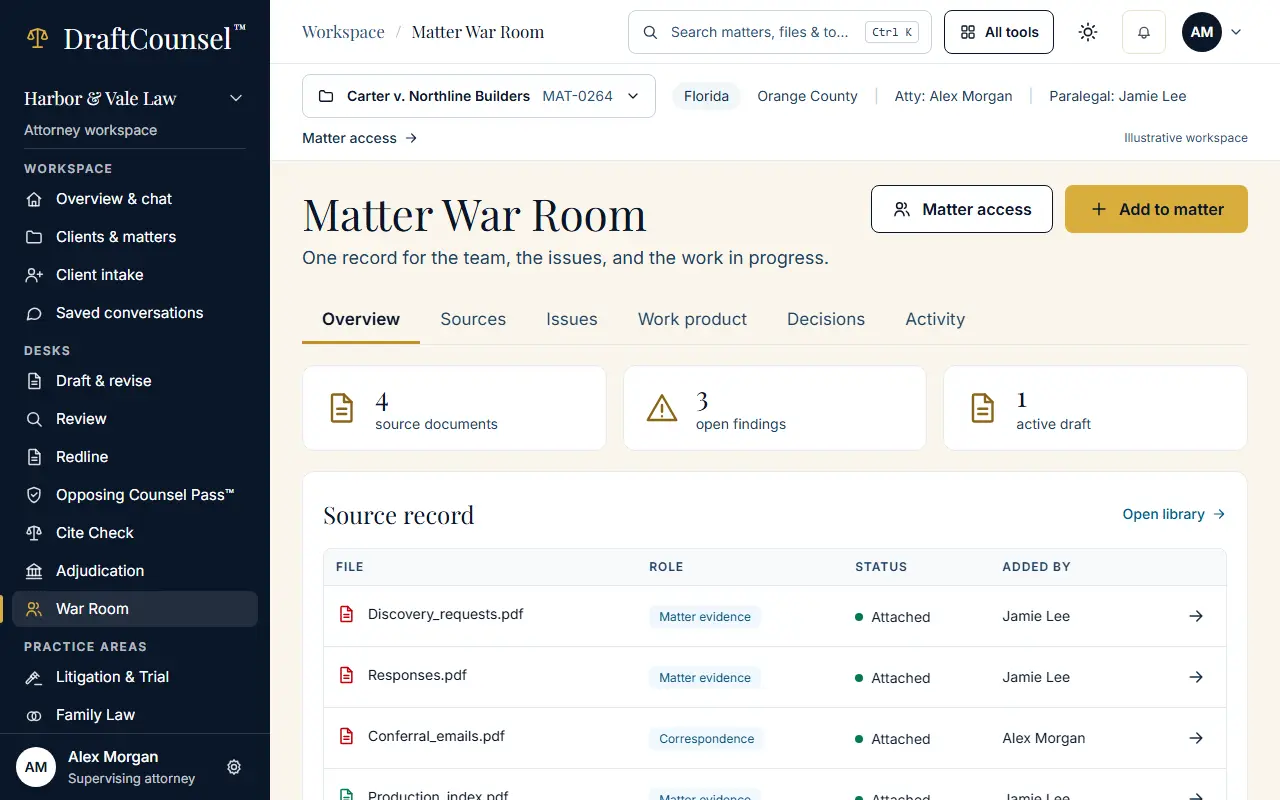
A matter opens on its overview, with its sources, issues, work product, decisions and activity one tab away.
Step 1 of 3: Open the matter. The overview shows its state, its sources and what needs a decision.
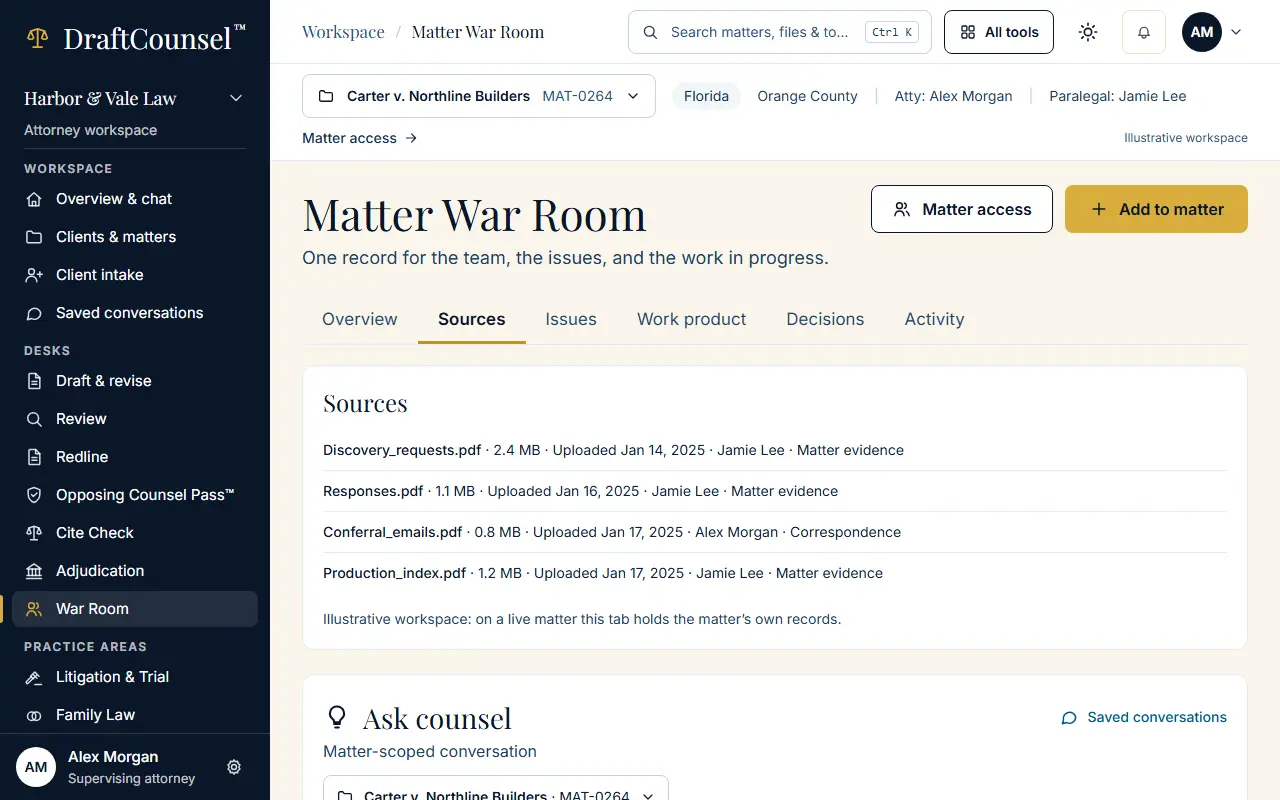
Step 2 of 3: Choose the Sources tab to see every file the matter holds.
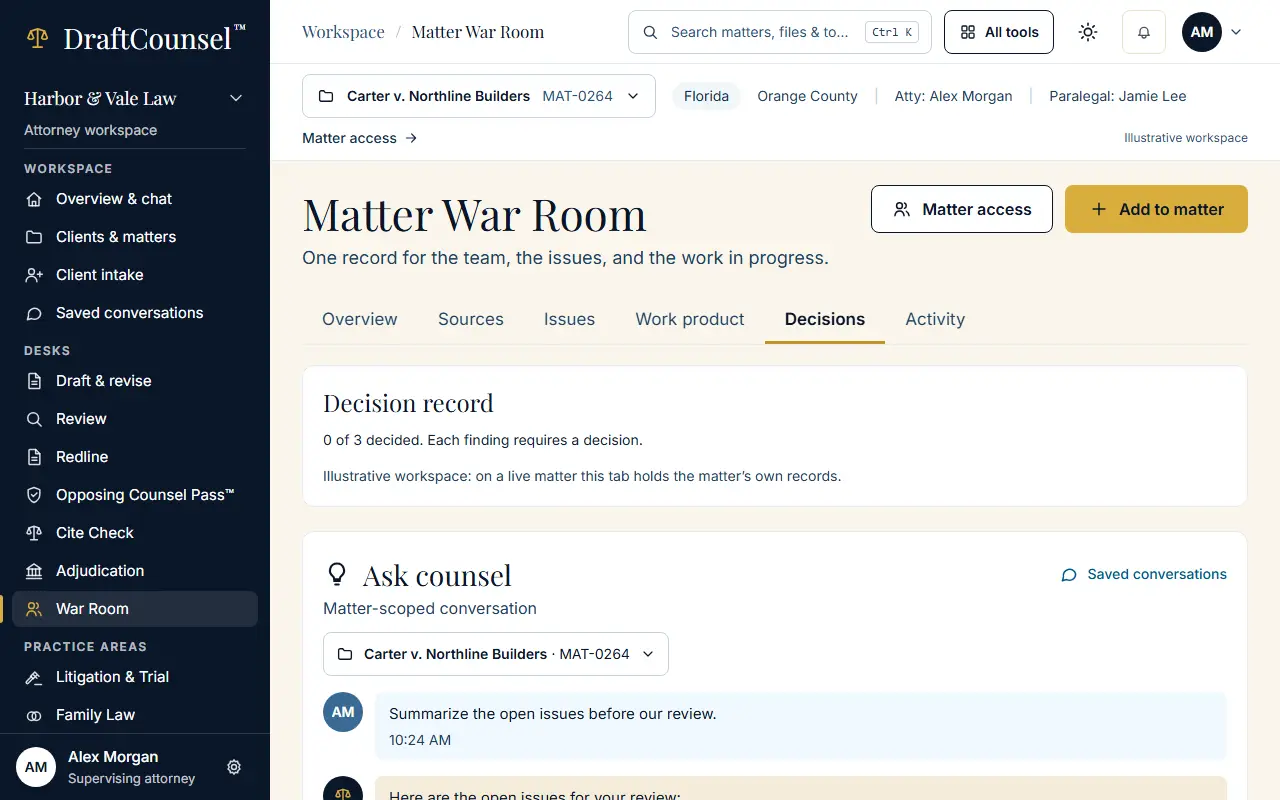
Step 3 of 3: Choose the Decisions tab to see what has been decided on the matter and by whom.
The screens are captured by the test that performs this guide; the illustrative workspace in them holds fictional matters only.